⭐️⭐️⭐️⭐️⭐️ Trusted by 200+ Amazon Sellers. See Results

A Quick Guide to Amazon Seller Accounting Software

Amazon Bookkeeping

Amazon Seller Accounting Software: The Complete 2025 Guide

Selling on Amazon involves a lot more than just listing products and fulfilling orders. Behind every sale, there are refunds, Amazon fees, shipping charges, taxes, and payouts happening constantly and often at scale. If you’re handling everything manually, it’s easy to get overwhelmed or make mistakes.


In fact, recent industry reports show that over 70% of growing Amazon businesses now rely on some form of Amazon accounting software to manage their finances more accurately.


Software can automate repetitive tasks and free up countless hours every week. It also reduces errors and keeps you tax compliant.


In this guide, we’ll cover what Amazon seller accounting software is, why you need it, who should use it, and the best tools to try in 2025.

What Is Amazon Accounting Software?


Accounting software for Amazon sellers is a specialized bookkeeping tool that helps Amazon businesses track and manage their finances automatically, instead of using spreadsheets and manually entering every transaction.


This software connects directly with your Amazon account to pull in sales, fees, refunds, taxes, and payouts in real time. It gives you a clear dashboard view of your cash flow and simplifies everything from daily bookkeeping to tax filing.


Research shows that around 64.4% of small and mid-sized retail and e-commerce sellers use this type of software to handle their finances.

How Does Amazon Seller Accounting Software Work?


Amazon seller accounting tools work by syncing directly with your Amazon Seller Central account and automating the entire bookkeeping process for Amazon sellers. Here’s a simple breakdown of how it works:


1. You start by linking the software to your Amazon account. This allows it to securely pull in your transaction data.


2. Once connected, the software continuously imports all sales, fees, refunds, and other financial activity in real time.


3. Instead of manually sorting through spreadsheets, the software automatically organizes each transaction into the right category.


4. It then creates essential reports like profit and loss statements, balance sheets, and tax summaries so you can easily track performance.


5. Finally, the software matches your Amazon payouts with your bank statements, helping you keep your books accurate.

What Can Seller Accounting Software Do for You?


Good bookkeeping software for Amazon sellers does not just keep track of income and expenses. It takes over every bit of financial work so you can focus on growing your business. Here’s a closer look at what the right tool can do for you:


Automated Transaction Tracking


Every sale, refund, fee, or payout that happens in your Amazon account is automatically pulled into the software. You don’t have to copy numbers into spreadsheets or manually enter data anymore. This alone can save hours each week and reduce the kind of small errors that later turn into bigger accounting problems.


Tax-Ready Reports and Compliance Support


The software generates profit and loss statements, balance sheets, and sales tax summaries. This makes filing returns a lot smoother and helps ensure your numbers are accurate, which lowers your chances of audits or compliance issues. Some tools even handle sales tax calculations automatically, which is a huge help for sellers managing multiple states or regions.


Inventory Tracking and Cost Control


Staying on top of your stock is critical, and the software can give you a clear view of inventory levels and the cost of goods sold (COGS). This helps you avoid stockouts, overstocking, or tying up too much money in unsold products. You can see exactly how inventory changes affect your cash flow and plan smarter restocks.


Payroll and Employee Management


If you have employees or contractors, the software can also take care of payroll. It helps with calculating salaries, deductions, and taxes, and keeps all records in one place. This saves you from juggling multiple tools or making manual calculations every month.


Budgeting and Forecasting Tools


Many accounting tools now include built-in budgeting and forecasting features. You can set financial goals, estimate future revenue, and plan upcoming expenses. This kind of insight can help you spot problems early and make better decisions about cash flow, marketing, or product investments.


Looking for a tool that does all of this? See our top picks below.

Why Do You Need Amazon Accounting Software?


Managing finances on Amazon involves hundreds of transactions, various fees, refunds, and multiple layers of taxes. If you try to handle all of this manually, it’s easy to make mistakes that can lead to delays, penalties, or inaccurate financial data. While that alone is enough to make you want Amazon accounting software, here are some additional reasons that might convince you:


Improved Accuracy and Reduced Errors


Manual bookkeeping often involves entering data line by line, which leaves plenty of room for small mistakes. Amazon accounting tools automate data entry by syncing transactions directly from your Seller Central account, ensuring that every number is captured correctly and consistently.


Companies that automate financial tasks report that automation reduces reporting errors by up to 90% and cuts the time for reporting by as much as 85×. (finoptimal.com)


Effortless Tax Management and Compliance


Taxes are one of the trickiest parts of running an online store, especially if you operate in multiple states or countries. Each region has its own tax rules, and keeping up manually is not only tedious but risky. Accounting software handles sales tax summaries, VAT or GST calculations, and prepares your numbers in a format that’s ready for tax filing.


This means you can file taxes accurately and, more importantly, avoid penalties and audit risks, which can be quite expensive.


Saves Valuable Time for Growth Activities


One of the biggest wins is simply reclaiming time. Instead of manually entering transactions, reconciling with bank statements, or generating reports, the software does it all for you in minutes. According to statistics, automating financial work can save 30–40% of the time that businesses previously spent on accounting tasks. (finoptimal.com)


Financial Insights and Forecasting


With everything automated and up to date, the software gives you dashboards and reports showing real-time performance. You’ll be able to see which products are truly profitable, what your cash flow looks like, and where costs are creeping up.


Beyond just hindsight, many tools allow predicting sales, planning expenses, and estimating how much to invest in inventory or ads. These insights help you make data-driven decisions instead of guessing, which is critical as you scale.


With the right software, sellers can focus less on bookkeeping and more on growing their Amazon business.


Who Should Use Amazon Seller Accounting Software?

 
who-need-use-amazon-software-image
 

Not every Amazon seller faces the same financial challenges. Some are just starting out and need affordable solutions. Others want more control over their numbers, while bigger teams focus on accuracy and reducing errors. This is where Amazon seller accounting tools adapt to fit different types of sellers. Let’s look at who benefits the most:

New and Small-Scale Sellers


For new or small-scale sellers, hiring a full-time accountant isn’t always realistic. The good news is that most accounting tools offer affordable entry-level plans that give you professional bookkeeping without the high cost.


A seller making under $10,000 a month can still use software to track sales, expenses, and payouts properly. It automates most of the work and is easy to use, even if you don’t have accounting experience. As your business grows, the software can grow with you, handling more transactions and more features over time.


Hands-On Sellers


If you like to keep a close eye on your business, these tools give you full visibility. You can see your income, expenses, inventory costs, and cash flow in one simple dashboard. You get to make informed decisions yourself instead of relying completely on an external accountant.


Sellers With Accountants or In-House Teams


If you already have an accountant or a small finance team, accounting software makes their job easier. It pulls data straight from Amazon, so there’s less manual entry and fewer mistakes. Your accountants will spend less time cleaning up spreadsheets and more time on valuable tasks like financial planning, forecasting, and strategy.


Security-Conscious Sellers: Safer Than Third-Party Handling


If you’re worried about sharing sensitive financial data, accounting software is a safer option. Your data stays encrypted and stored securely in the cloud. Most tools use bank-level security and automatic backups, so your information is much safer than sending files over email or storing them on a personal computer.


Even if spreadsheets might seem tempting at first, here’s why specialized software is a smarter choice.

Can You Use Spreadsheets Instead of Software?


Technically, yes, but it’s not recommended. Manual data entry leaves a lot of room for error. One small typo or miscalculation can throw off your entire financial picture. A famous example of this happened in 2005 when Kodak lost $11 million because of a single typo in severance calculations. For a growing 

Amazon business, those kinds of mistakes can be costly.


Spreadsheets also take a lot of time to maintain. You have to enter every sale, fee, and refund manually, categorize each one, and constantly double-check your work. 


On the other hand, accounting software for Amazon sellers automates most of this work. It pulls in transactions automatically, organizes the data, and keeps everything tax-compliant. It also scales easily as your business grows.


How to Choose the Best Amazon Seller Accounting Software

 

How to choose image

Choosing the right bookkeeping software for Amazon sellers can make a big difference in how smoothly you run your business. Here’s what to look for before deciding:


Seamless Integration With Seller Central


The software should connect automatically to your Amazon Seller Central account. This way, it can pull in all your orders, refunds, fees, and payouts without you entering anything manually. If you also sell on platforms like Shopify, eBay, or Walmart, choose a tool that supports multi-channel integrations so you can manage everything in one place.


Easy-to-Use, Seller-Friendly Interface


If the system is too complicated, you’ll waste time trying to figure it out instead of actually using it. Choose software with a clean dashboard, simple navigation, and features that are easy to understand, even if you don’t have an accounting background. A bonus is if it comes with a mobile app, so you can keep an eye on your finances from anywhere.


Reliable Customer Support When You Need It


Even the best tools can have issues. Look for software with good customer support available through chat, email, or phone, ideally 24/7. It’s also helpful if they offer guides, tutorials, or FAQs you can refer to when you need quick help.


Cloud-Based Access and Data Security


Cloud-based software lets you access your financial data from anywhere with an internet connection. It also backs up your data automatically, so nothing gets lost. Make sure it offers bank-level security to keep your information safe.


Budget-Friendly Pricing With Free Trial


Choose a tool that fits your budget and business size. A free trial is important as it lets you test everything before committing. Be cautious with free tools that sound too good to be true, as they often don’t have the features you’ll need as your business grows, like tax reporting or inventory tracking.


Scalability as Your Amazon Business Grows


As your sales increase, your software should keep up. Pick a tool that offers different plans or features for larger businesses, like payroll or advanced reports. Scalable software saves you the hassle of switching later on.

Best Amazon Seller Accounting Software Tools in 2025


Now that we’ve covered the key factors to consider when selecting the right software tools, let’s take a look at the leading Amazon Bookkeeping Software Tools:

QuickBooks Online


Amazon Bookkeeping


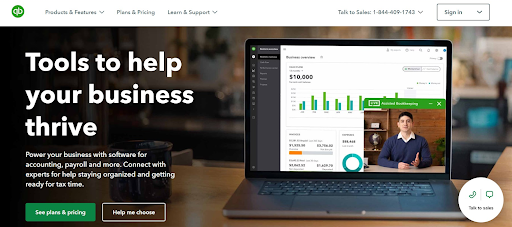
QuickBooks Online is one of the most widely recognized and extensively used cloud-based accounting software solutions in the United States. Trusted by approximately 5.9 million businesses, it comes with multiple features, extensive reporting systems, and seamless integration options for both Amazon and other eCommerce sellers like eBay.


Key Features Included:

– Double entry accounting
– Integrates with dozens of apps commonly used by Amazon sellers
– Ability to track sales tax based on the provided address
– Free guided setup
– Inventory management and inventory tracking
– Detailed financial reports


Who Is It For? 

Suitable for accountants and enterprise sellers who have advanced accounting knowledge.


Pricing:

QuickBooks Online provides 4 subscription options. However, only the ‘Plus’ and ‘Advanced’ plans are suitable for Amazon sellers:

– Plus Plan: $115/month for up to 5 users.
– Advanced Plan: $275/month for up to 25 users.


Additionally, QuickBooks Online offers a 30-day free trial and a 50% discount for the first 3 months for new subscribers.

Xero

 

Founded in 2006, Xero has over 1.8 million global subscribers, making it one of the most popular accounting software solutions available. This cloud-based accounting software offers a user-friendly platform suitable for a wide range of users, including those without extensive bookkeeping expertise.


Key Features Included:

– Double entry accounting
– Handles essential accounting tasks: cash flow, bank reconciliation, and expense management
– Inventory tracking
– Integrates with more than 800 apps
– Sales tax compliance 


Who Is It For?

Beginner sellers that have limited accounting knowledge.


Pricing:

Xero has 3 different pricing plans that you can choose from:


– Early Plan: $25/month
– Growing Plan: $55/month
– Established Plan: $90/month

There is also a free 30-day trial that you can opt for before subscribing to a plan.

A2X 
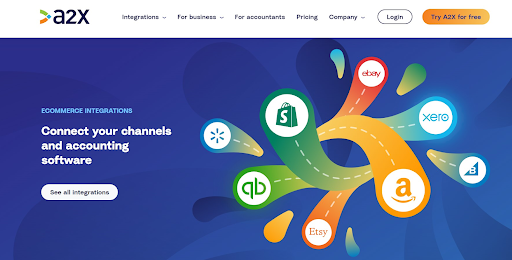
 

A2X is not your typical cloud bookkeeping software but rather an add-on designed to enhance the functionality of other Amazon seller accounting tools. Its primary function is to retrieve essential data, such as the COGS and seller inventory status, directly from your Amazon account. It then categorizes this data and seamlessly integrates it into software platforms like QuickBooks Online and Xero. Without A2X, the process of manual data entry and categorization would be tedious and prone to errors.


Key Features Included:

– Automatic transaction posting to Xero/Quickbooks Online
– Features accrual accounting – revenue and expenses are recorded as soon as transactions occur
– A full breakdown of Amazon selling fees and other expenses
– Tracks applicable tax rates for every transaction
– Automates Cost of Goods Sold by-product
– Reconciliation of transactions with bank deposits


Who Is It For?

Mid-sized Amazon sellers who manage large volumes of data and want a solution to simplify their bookkeeping tasks.


Pricing:

A2X offers 4 pricing tiers for Amazon sellers:


– Mini Plan: $29/month (cap at 200 orders)
– Starter Plan: $59/month (cap at 1,000 orders)
– Standard Plan: $79/month (cap at 5,000 orders)
– Standard 10k Plan: $159/month (cap at 10,000 orders)

Freshbooks



Established in 2002, FreshBooks has a user base of over 30 million users. It is an excellent choice for Amazon FBA sellers looking for user-friendly accounting software. It operates as a cloud-based solution and provides an extensive array of features, all at an affordable rate when compared to the other alternatives listed here. 


Key Features Included:

– Sales tax summaries
– Inventory tracking and inventory management
– Simplified financial reports: expense reports, profit & loss reports, balance sheet
– Professional invoice creation
– Multi-currency feature


Who Is It For?

Ideal for budget-conscious small business owners with limited tech skills or accounting knowledge.


Pricing:

FreshBooks offers 3 pricing plans, each with a 50% discount for the first 4 months and a free trial option:


– Lite Plan: $10.50/month –  includes 5 billable clients
– Plus Plan: $19/ month – includes 50 billable clients & extra features
– Premium Plan: $32.50/month – unlimited number of billable clients and a host of new features

LinkMyBooks
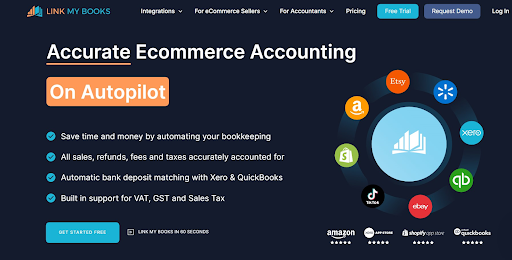


LinkMyBooks was created especially for Amazon sellers and other eCommerce merchants, including those on eBay, Walmart, and Shopify. Similar to A2X, it efficiently categorizes your sales, refunds, fees, and taxes, and then seamlessly integrates a concise summary directly into your accounting software, such as Xero and Quickbooks. It claims to be user-friendly while delivering a host of valuable features.


Key Features Included:

– Easy guided setup
– Sales tax calculation
– COGS tracking
– Generates a clean summary invoice detailing sales, refunds, fees, and VAT
– Reconciliation of transactions with bank deposits
– Support for all Amazon marketplaces


Who Is It For?

Suitable for sellers of all levels who want to automate their bookkeeping tasks and maintain accurate financial records.


Pricing:

LinkMyBooks has 3 pricing plans that you can choose from:


– Lite Plan: Starts at $17/month

– Pro Plan: Starts at $29/month

– Premium Plan: Starts at $56/month

Note: Prices mentioned are subject to change.

Summary


When it comes to managing the financial aspect of your Amazon business, the right Amazon accounting software is a game-changer. It simplifies your operations, keeps your finances in check, and gives you valuable insights to help your business grow.


Looking for expert assistance in helping you manage your bookkeeping software for Amazon sellers? Enso Brands offers a comprehensive range of one-stop Amazon services tailored to optimize your performance and maximize your potential on the platform. Contact us today and discover how we can help your business thrive on Amazon!


FAQs


What are the two types of Amazon seller accounts?

Individual and Professional. 


What is the best software for Amazon sellers?

It depends on your business size and needs. Good Amazon accounting software should integrate with Seller Central, automate tasks, support tax reporting, and scale as you grow.


Can I switch to a different accounting software if I’m not satisfied?

Yes. You can switch anytime. Most accounting software for Amazon sellers lets you export your data, making the transition smooth. Just check that your new software can import your old records without issues.


Can accounting software handle multiple currencies?

Yes. Most accounting software solutions are able to handle transactions in multiple currencies. Check the software’s features for multi-currency support.


Can I manage payroll through Amazon seller accounting software?

Yes. Many bookkeeping software for Amazon sellers include payroll and employee management. They can handle salary calculations, tax deductions, and even track employee hours all in one place.

Maximize Your Amazon Success with Enso Brands

Ready to elevate your Amazon business? Our expert team at Enso Brands is here to provide tailored solutions that drive results.

About The Author:

Table of Contents

40 Pages of Amazon Ultimate listing and Design Templates
Unlock Your Amazon Potential

Curious about how your Amazon store is performing? Start with a free audit from Enso Brands. Our experts will provide you with valuable insights and actionable strategies to boost your sales and visibility.

Transform Your Amazon Presence: Unlock Sales and Dominate with Our Ultimate Listing and Design Templates!

Download Free