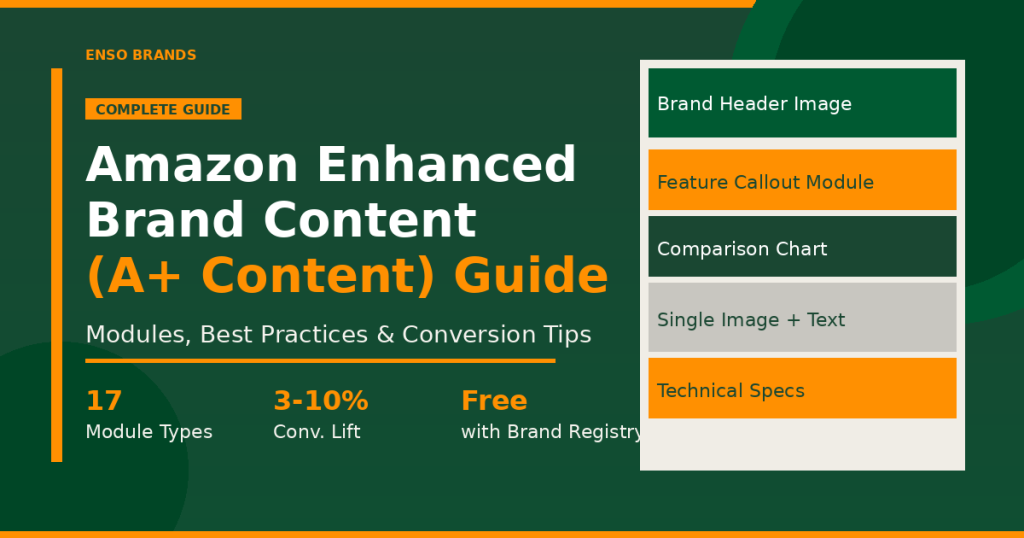
Amazon Enhanced Brand Content (now officially called A+ Content) is one of the highest-leverage tools available to registered Amazon brands. It replaces your standard product description with visually rich, conversion-optimized content, and it’s completely free for sellers enrolled in Amazon Brand Registry.
In this guide, we’ll walk through every module type, how to create your first A+ Content in Seller Central, proven best practices, and the difference between standard A+ and Premium A+ Content.
What Is Amazon Enhanced Brand Content (A+ Content)?
Amazon Enhanced Brand Content is the program that lets Brand Registry sellers replace the plain-text product description on their listings with rich media content: custom images, comparison charts, lifestyle photography, feature callouts, and branded storytelling.
Amazon rebranded the program from “Enhanced Brand Content” (used for third-party sellers) and “A+ Content” (used for vendors) into a single program called A+ Content in 2019. Today, most sellers still search for it by the original name, so you’ll see both terms used interchangeably.
Who can use it: You must be enrolled in Amazon Brand Registry to access A+ Content. Brand Registry requires an active registered trademark in each marketplace where you want to use it.
Where it appears: A+ Content replaces the product description section on your Amazon detail page, appearing below the bullet points and above the customer reviews.
Cost: Standard A+ Content is free. Premium A+ Content (described below) is available to qualifying brands at no additional charge, though historically it required an invitation.
EBC vs. a Basic Amazon Listing: The Real Difference
A standard Amazon listing shows plain-text bullet points and a product description. That’s fine for discoverability, but it leaves conversion on the table. Shoppers who make it to your detail page still need to be convinced. That’s where A+ Content earns its keep.
| Feature | Basic Listing | A+ Content |
|---|---|---|
| Product description | Plain text, 2,000 chars max | Rich media: images, text, charts |
| Brand storytelling | None | Lifestyle images, brand modules |
| Comparison charts | None | Built-in competitor/variant comparison |
| Mobile optimization | Text wraps, small images | Designed for mobile-first layout |
| Conversion lift | Baseline | Up to 3–10% increase (Amazon data) |
| Cost | Free | Free (Brand Registry required) |
Amazon’s own data shows that A+ Content can increase sales conversion by up to 3% to 5.6% on average, with some brands reporting 8–10% lifts when premium imagery and well-structured modules are combined. Over the course of a year, that conversion improvement compounds across every visitor to your listing.
All A+ Content Module Types Explained
Amazon gives you 17 module types to build from (the exact list varies slightly by marketplace). Here’s what each one does and when to use it:
1. Standard Header Image with Text
A full-width banner image at the top of your A+ Content, paired with an optional headline. Best used for brand identity, your logo, tagline, or a lifestyle hero shot that sets the visual tone.
2. Standard Image and Dark Text Overlay
An image with text overlaid using a dark (opaque) background block. Works well for bold feature callouts where legibility matters, even on colorful images.
3. Standard Image and Light Text Overlay
Similar to the dark overlay module but uses a lighter/transparent box. Good for lifestyle images where you want the photo to breathe.
4. Standard Single Left Image
A text-plus-image layout with the image anchored to the left side and copy on the right. Classic product feature callout format. Use this for walking through one specific benefit in detail.
5. Standard Single Right Image
Mirror of the left image module. Alternating left/right image modules creates a visually balanced scroll experience on desktop.
6. Standard Four Image and Highlight
Four stacked image tiles, each with a headline and short description. Great for showcasing multiple product variants, use cases, or key features in a compact layout.
7. Standard Single Image and Highlights
One large image paired with up to 4 bullet-style highlights. Ideal for your most important product feature, one visual, several supporting proof points.
8. Standard Single Image and Sidebar
A wide image with a sidebar text column. Good for technical products where you need more copy space alongside a product shot.
9. Standard Multiple Image Module (A/B/C/D/E)
A flexible grid of 2 to 4 images with captions. Multiple layout variations let you choose the proportions that best fit your visual assets.
10. Standard Text
A text-only module. Useful for adding product specifications, usage instructions, or care/safety information without diluting your visual flow with low-quality images.
11. Standard Product Description Text
A formatted text block intended specifically for the product description narrative. Supports basic HTML formatting.
12. Standard Comparison Chart
One of the most powerful modules. Shows a product comparison grid with up to 6 ASINs side by side. Use this to highlight your product’s advantages over competitors or to cross-sell within your catalog.
13. Standard Technical Specifications
A two-column table for listing specs (material, dimensions, certifications, compatibility). Essential for electronics, tools, or anything buyers evaluate technically before purchasing.
14. Standard Logo and About Your Brand
A module for your brand logo and a short brand description. Positioned near the bottom of your A+ Content, this builds brand trust and encourages repeat purchases.
15. Standard Third Party Brand Content
Used when featuring licensed or co-branded content from another registered brand. Rarely needed, but available for partnership situations.
16. Standard Single Image and Specs Detail
Combines a product image with a detailed spec list. A tighter version of the Technical Specs module, useful when you want the visual alongside the data.
17. Standard Image Text Overlay (Full Width)
A full-width cinematic image with a text overlay, think a lifestyle shot spanning the full content area with a short statement. High visual impact, best saved for your most dramatic image.
How to Create A+ Content in Amazon Seller Central (Step by Step)
Creating A+ Content takes about 30 to 60 minutes per ASIN once you have your images ready. Here’s the exact process:
Step 1: Go to A+ Content Manager
In Seller Central, click on Catalog in the top navigation, then select A+ Content Manager from the dropdown.
Step 2: Click “Start Creating A+ Content”
Choose Self-Service Modules (this is standard A+ Content). The Amazon Builds For You option exists but gives you less control over the output.
Step 3: Name Your Content
Give your A+ Content a name you’ll recognize internally (e.g., “Product Name: Main A+, June 2025”). This name is not visible to customers.
Step 4: Select Your Language and Add Modules
Choose your marketplace language, then start building. Click Add Module to pick from the 17 module types. You can add up to 7 modules per A+ Content piece in standard A+.
Step 5: Upload Images and Add Copy
For each module, upload your images (Amazon recommends 970 x 600 pixels minimum for most modules, though full-width header images work best at 1464 x 600). Add your headline and body copy.
Step 6: Apply to ASINs
Once your content is built, use the Apply to ASINs panel to attach it to your product listings. You can apply one A+ Content piece to multiple ASINs simultaneously.
Step 7: Submit for Review
Amazon reviews A+ Content for policy compliance before it goes live. Approval typically takes 3 to 7 business days. Common rejection reasons: text embedded in images, competitor brand mentions, pricing claims, and misleading quality statements.
Best Practices for A+ Content That Actually Converts
Having A+ Content is table stakes. Having A+ Content that converts is a different challenge. Here’s what separates high-performing A+ from forgettable content:
Lead with Your Strongest Benefit, Not Your Brand Story
Buyers don’t scroll A+ Content looking for your origin story. They want to know if your product solves their problem. Lead with a powerful benefit image or use-case visual, then build your brand narrative further down.
Use Lifestyle Images, Not Just Product Shots
Product-on-white images belong in your main image gallery. A+ Content is where lifestyle and context images belong. Show the product in use, in environment, in the hands of your target customer. Shoppers need to visualize ownership.
Write for Mobile First
Over 60% of Amazon traffic comes from mobile devices. Every module you choose should look intentional on a 375px-wide screen, not just a 1440px desktop. Test your A+ Content on mobile before submitting.
The Comparison Chart Is Your Best Cross-Sell Tool
If you have multiple products in a category, the Comparison Chart module can direct traffic from lower-priced or lower-featured variants toward your premium SKU. It also keeps buyers within your brand’s catalog instead of losing them to a competitor.
Keep Copy Concise and Benefit-Focused
Amazon’s character limits for A+ modules are often generous, but brevity wins. Aim for 2 to 3 sentences per module text block. Use sentence fragments for feature callouts. Avoid passive voice and jargon.
No Pricing, No Guarantees, No Competitor Names
Amazon’s A+ Content policies prohibit any reference to pricing, competitor brand names, quality guarantees (“best,” “#1”), time-sensitive claims, or customer reviews within the A+ modules. Violations trigger rejection or removal.
Image Quality Is Non-Negotiable
Blurry, low-resolution, or amateurish images will hurt your conversion more than no A+ Content at all. If you don’t have professional-grade assets, invest in a product photography session before building your A+. For best results, use high-resolution images (minimum 300 DPI for print-quality detail at any zoom level).
Standard A+ Content vs. Premium A+ Content
Premium A+ Content (formerly called A++) is an enhanced tier that unlocks additional module types and capabilities. Here’s how the two compare:
| Feature | Standard A+ Content | Premium A+ Content |
|---|---|---|
| Cost | Free | Free (invite required) |
| Modules per ASIN | Up to 7 | Up to 7 (premium modules) |
| Hotspot image modules | No | Yes |
| Video on the detail page | No | Yes (embedded in A+ section) |
| Interactive image carousel | No | Yes |
| Enhanced comparison charts | No | Yes (more rows, richer layout) |
| Q&A module | No | Yes |
| Full-width banner height | Standard | Taller options available |
| Availability | All Brand Registry sellers | Must have Brand Story + approved A+ content; invitation/auto-qualification |
How to qualify for Premium A+: As of 2023, Amazon began automatically granting Premium A+ access to brands that have published an approved Brand Story and have at least 5 approved A+ Content pieces in their account. If you meet those criteria, Premium A+ will appear as an option in your A+ Content Manager. Earlier it required a direct invitation from Amazon.
The ROI difference is meaningful. Premium A+ Content with video modules can increase conversion by an additional 3 to 6% over standard A+, primarily because video keeps shoppers on the page longer and answers objections that static images cannot.
Frequently Asked Questions
What is Amazon Enhanced Brand Content?
Amazon Enhanced Brand Content (EBC) is the original name for what Amazon now calls A+ Content. It allows sellers enrolled in Brand Registry to add rich media content, images, comparison charts, and formatted text, to their product detail pages, replacing the basic product description with conversion-optimized visual content.
Is Amazon A+ Content free?
Yes. Standard A+ Content is completely free for sellers enrolled in Amazon Brand Registry. Premium A+ Content is also free for qualifying brands, though historically it required Amazon to grant access. Brands that publish a Brand Story and have at least 5 approved A+ Content pieces in their account may qualify automatically.
How much does A+ Content increase sales?
Amazon’s own published data suggests A+ Content increases sales conversion by an average of 3% to 5.6%. Brands with high-quality lifestyle images, comparison charts, and well-structured modules often see higher lifts, some report 8–10% conversion improvements. The result depends heavily on product category, image quality, and how competitive the listing already is.
How long does A+ Content approval take?
Amazon typically reviews A+ Content within 3 to 7 business days. Common reasons for rejection include: text or pricing embedded in images, references to competitor brand names, guarantee or superlative claims (“best,” “#1”), and time-sensitive offers. Resubmitting after addressing the rejection reason usually gets approval within 1 to 3 additional days.
Can I use A+ Content on all my ASINs?
Yes. Once you create an A+ Content piece, you can apply it to multiple ASINs in your catalog simultaneously. You can also create different A+ Content versions for different product lines. ASINs must be in your brand’s catalog (brand-gated) and your brand must have active Brand Registry status in the relevant marketplace.
Ready to Take Your Amazon Listings to the Next Level?
A+ Content is one of the most impactful free tools Amazon offers, but building it well takes product photography, design expertise, and copywriting that speaks directly to your buyer. Done poorly, it can actually hurt conversion.
The Enso Brands team creates and optimizes A+ Content as part of our full-service Amazon management, alongside listing SEO, PPC, and storefront design. We’ve helped brands across 200+ Amazon accounts increase conversion and revenue through strategic content improvements.
If you want a team that treats your listings as a serious conversion asset, get in touch with Enso Brands to learn how we can help.
You can also explore how we approach Amazon listing optimization to see the full scope of what a well-optimized detail page looks like, from the title and bullets through to A+ Content and the storefront.