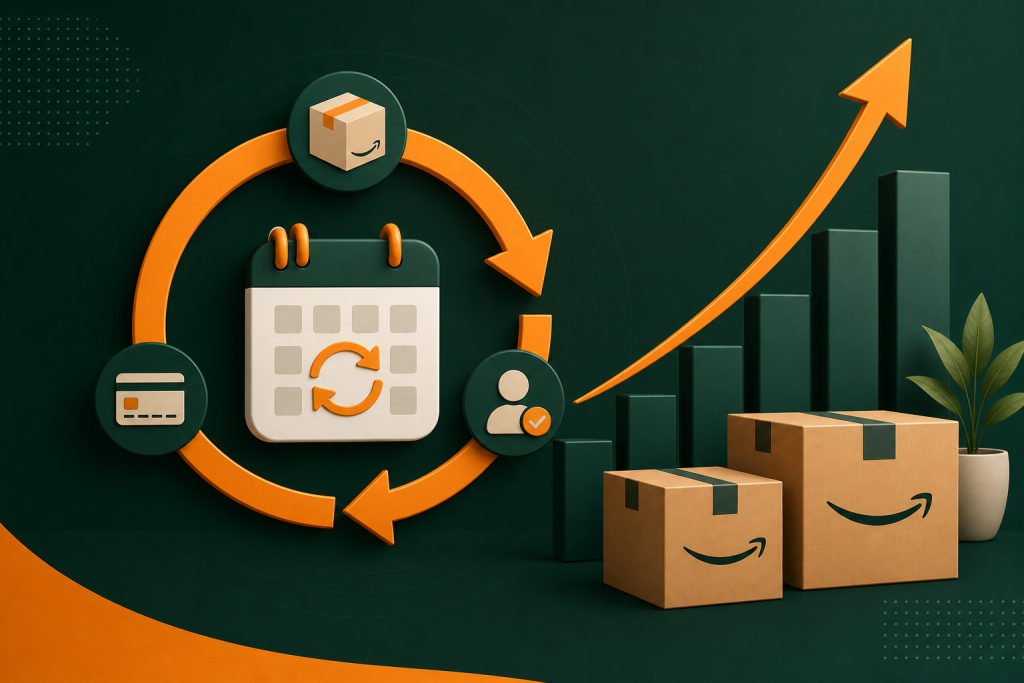
If you sell consumables, household goods, or anything customers reorder regularly, Amazon Subscribe and Save is one of the most powerful tools you have as a seller. It converts one-time buyers into automatic repeat customers, smooths out demand spikes, and dramatically increases customer lifetime value. Yet most sellers either ignore it entirely or enroll products without a clear strategy.
This guide covers everything you need to know about the Amazon Subscribe and Save program from the seller’s perspective: how it works, who qualifies, how the discount is funded, which products perform best, and how to maximize recurring revenue without crushing your margins.
What Is Amazon Subscribe and Save for Sellers?
Amazon Subscribe and Save (S&S) is a program that lets customers set up automatic, recurring deliveries for eligible products at a discounted price. From the buyer’s side it looks like a loyalty perk. From the seller’s side it is a structured subscription model built directly into the Amazon marketplace.
When a customer subscribes to your product, Amazon processes the order automatically on the customer’s chosen delivery schedule (every 1, 2, 3, 4, 6, or 12 months). The customer receives a discount of either 5% or 15%, and you receive a predictable stream of repeat orders with zero additional acquisition cost.
For sellers, this translates into three core benefits:
- Predictable demand: S&S orders arrive on a fixed schedule, making inventory planning far more reliable than chasing one-time purchase spikes.
- Zero reacquisition cost: You pay Amazon PPC once to win the first order. Every renewal is free traffic.
- Higher lifetime value: Subscribers typically repurchase 3 to 5 times more often than one-time buyers over a 12-month window.
Amazon Subscribe and Save Eligibility Requirements
Not every seller or product qualifies for Subscribe and Save. Amazon sets specific criteria you must meet before your listings can display the S&S option.
Seller Eligibility
- You must be a Professional seller (not an Individual plan).
- Your account must have a sales history of at least 3 months on Amazon.
- You must maintain an overall seller rating of 4.7 stars or higher.
- Your order defect rate must stay below 1% and your cancellation rate below 2.5%.
- You must be enrolled in FBA (Fulfillment by Amazon) for most product categories. Seller-Fulfilled Prime (SFP) sellers can participate in select cases, but FBA is the standard path.
Product Eligibility
- The ASIN must be in an approved category (see the next section for which products work best).
- Products cannot be hazardous materials flagged under Amazon’s HAZMAT restrictions.
- The listing must be active with consistent in-stock inventory. Amazon removes S&S from ASINs that go out of stock repeatedly.
- Multipack variations and bundles can qualify, but each child ASIN is evaluated independently.
If your account metrics dip below Amazon’s thresholds, your products can be automatically suspended from the program. Maintaining clean account health is not optional if you want stable S&S revenue.
How the Subscribe and Save Discount Structure Works
This is where most sellers get confused. There are two discount tiers in the Subscribe and Save program, and understanding who funds each one is critical to protecting your margins.
The 5% Discount (Default)
Every Subscribe and Save subscriber receives a minimum 5% discount on each delivery. Amazon funds this 5% discount entirely. It comes out of Amazon’s pocket, not yours. You receive your standard selling price minus Amazon’s referral fee, just as you would for a regular order. The 5% is a promotional cost Amazon absorbs to build subscriber loyalty on its platform.
The 15% Discount (Five Subscription Tier)
When a customer subscribes to 5 or more products in a single delivery schedule (their “Subscribe and Save box”), their discount increases to 15% on all eligible items in that delivery. The split here is different: Amazon still covers 5%, and you as the seller fund the additional 10%.
This means your effective payout on a 15% discount order is your listed price minus 10% (the portion you fund) minus Amazon’s referral fee. For a $25 product in a 15% referral category, that 10% cost to you is $2.50 per unit. At scale, across thousands of subscribers, this adds up quickly.
Amazon does give you an option to opt in or out of the 15% tier when you set up your S&S enrollment. If your margins cannot support the extra 10% discount, you can cap participation at the 5% tier, though this makes your listing less attractive to heavy S&S users who shop the 5-subscription threshold intentionally.
Discount Funding Summary
| Scenario | Total Discount | Amazon Pays | Seller Pays |
|---|---|---|---|
| 1 to 4 subscriptions in cart | 5% | 5% | 0% |
| 5+ subscriptions in cart | 15% | 5% | 10% |
Subscribe and Save Impact on the Buy Box
Subscribe and Save enrollment can positively influence your Buy Box positioning, though not in a direct algorithmic sense. Here is how the relationship works in practice.
First, S&S is only available through the Buy Box. If you lose the Buy Box on a listing you have enrolled in Subscribe and Save, your subscribers may be migrated to a competitor’s offer at their next renewal cycle. Amazon’s system attempts to keep existing subscribers with the same seller, but this is not guaranteed once you consistently lose the Buy Box.
Second, having an active Subscribe and Save program signals consistent inventory and competitive pricing to Amazon’s algorithm. Both are Buy Box ranking factors. Sellers who maintain strong S&S performance tend to hold the Buy Box more reliably because they are structurally incentivized to keep inventory stocked and pricing stable.
Third, a high subscriber count can act as a competitive moat. Competitors who try to undercut your price must do so dramatically enough to get existing subscribers to cancel and re-subscribe. The inertia of automatic renewals works in your favor once you accumulate a subscriber base.
How to Enroll Products in Subscribe and Save
Enrolling products in Subscribe and Save is done through Amazon Seller Central. Here is the step-by-step process:
- Log into Amazon Seller Central and navigate to Inventory then Manage Inventory.
- Find the ASIN you want to enroll. Select the dropdown under Edit and choose Manage FBA Subscribe & Save, or navigate directly via Advertising then Subscribe & Save in the left menu.
- On the Subscribe and Save management page, select the ASINs you want to enroll. You can bulk-enroll using the Enroll by ASIN upload template.
- Set your discount preference: opt into the 15% tier or restrict to the 5% tier only.
- Submit. Amazon reviews enrollment and the S&S badge typically appears on your listing within 24 to 72 hours.
Once enrolled, you can manage your subscriber count, view active subscriptions, and track renewal revenue from the Subscribe and Save dashboard in Seller Central. The dashboard shows you projected S&S revenue for the next 90 days, which is invaluable for inventory planning.
If you need help optimizing your full Amazon presence alongside S&S enrollment, our team at Enso Brands full-service Amazon agency can audit your account and implement a complete recurring revenue strategy.
What Products Work Best for Subscribe and Save?
Not all products are equally well-suited for a subscription model. The highest-performing Subscribe and Save categories share one key characteristic: they are items customers buy repeatedly on a predictable schedule.
Top Performing Categories
- Consumables and grocery: Coffee, protein powder, vitamins, snacks, and supplements are natural fits. Customers know when they will run out and are happy to automate the reorder.
- Household supplies: Paper towels, laundry detergent, dish soap, trash bags, and cleaning products have high repurchase rates and minimal decision fatigue. Once a household settles on a brand, they reorder automatically.
- Pet food and supplies: Pet food is one of the highest-converting S&S categories. Pet owners buy on a strict schedule driven by their animal’s consumption rate. Dog treats, cat litter, and flea prevention are strong performers.
- Health and personal care: Razors, deodorant, toothpaste, shampoo, skincare basics, and over-the-counter medications convert extremely well. These are items where customers want to never run out.
- Baby products: Diapers, wipes, and formula have near-perfect subscription economics. Parents are time-stressed and motivated to automate anything they can.
Products That Underperform in S&S
- One-time purchases (electronics, furniture, large appliances)
- Fashion and apparel (sizes, styles, and preferences change)
- Products with low repurchase urgency or long replacement cycles (kitchen gadgets, home decor)
- Seasonal items where demand is concentrated in a few months
If your product falls outside the top categories, S&S can still work, but you should analyze your actual repurchase data in Seller Central before investing heavily in building a subscriber base. A well-optimized listing is the foundation. Our Amazon listing optimization service can help you identify whether your current listing is set up to convert S&S browsers into long-term subscribers.
The LTV Math: Why Subscribe and Save Customers Are Worth More
The core argument for Subscribe and Save is lifetime value (LTV). Let’s put concrete numbers on it so you can evaluate the tradeoff against the discount cost.
One-Time Buyer vs. S&S Subscriber: 12-Month Comparison
Assume you sell a $30 consumable product with a 35% gross margin. A typical Amazon PPC cost per acquisition in a competitive consumables category runs $8 to $15. Let’s use $10 as a baseline.
| Metric | One-Time Buyer | S&S Subscriber (monthly delivery) |
|---|---|---|
| Orders in 12 months | 1.3 (industry avg. repurchase rate) | 12 |
| Revenue per customer | $39 | $360 (at 0% seller discount on 5% tier) |
| COGS at 65% | $25.35 | $234 |
| Amazon referral fee (15%) | $5.85 | $54 |
| PPC cost (paid once) | $10 | $10 |
| Net profit over 12 months | -$2.20 | $62 |
The one-time buyer barely breaks even after acquisition cost. The S&S subscriber generates $62 in net profit over the same 12 months, acquired with the same single PPC click. That is a 28x improvement in net return per customer acquired.
Now factor in the 15% discount tier (seller funds 10%). On a $30 product, your cost is $3 per order. Over 12 months that is $36 in discount cost against $62 in profit, bringing net to $26. Still dramatically better than the one-time buyer outcome, and this is the worst-case scenario where the subscriber hits the 5-subscription threshold every single month.
Retention Impact
Research from Jungle Scout and third-party marketplace analytics firms consistently shows that S&S subscribers have a 12-month retention rate of 60% to 75%, compared to a repurchase rate of 20% to 30% for non-subscribed customers. That gap compounds: at month 24, your subscriber cohort is still generating predictable revenue while most one-time buyers have churned entirely.
Subscribe and Save also reduces the cost of winback campaigns. Non-subscribers who lapse require new PPC spend, email sequences, or coupon costs to re-engage. Subscribers who pause or cancel can often be reactivated without any paid spend because Amazon’s own subscription reminders do some of that work for you.
Tips to Maximize Subscribe and Save Revenue
1. Price Strategically Before Enrolling
Your S&S discount is calculated from your listed price at the time of each renewal. If you enroll at a low promotional price and then raise it, subscribers benefit automatically. But if you are already priced too thin, the 10% you fund on the 15% tier will turn your best customers into your worst-margin orders. Audit your unit economics before enrolling. Your floor price should assume a 10% discount on at least a portion of your subscriber base.
2. Use the Discount Tier Strategically
Opting out of the 15% tier keeps your margins cleaner but reduces your attractiveness to power S&S shoppers who specifically chase the 5-subscription threshold. A middle path: enroll in the 15% tier but price your product $2 to $4 higher than you otherwise would. This builds the discount cost into your listed price so the effective net margin stays the same. Be careful, however, because raising price too much will hurt your regular (non-S&S) conversion rate and Buy Box competitiveness.
3. Build Inventory Around S&S Demand Forecasts
The Subscribe and Save dashboard in Seller Central shows you projected renewal volume 90 days out. Use this data to inform your reorder quantities and FBA shipment schedules. Running out of stock on a high-subscriber ASIN is one of the fastest ways to lose subscribers permanently, as Amazon will reassign them to in-stock alternatives. Treat your S&S renewal forecast as a hard floor for your inventory planning, not a suggestion.
4. Launch New Products With S&S Enrollment
If you have a new consumable product launching, enroll it in Subscribe and Save from day one. Early subscribers are your most loyal customers. Getting them locked into a subscription while your product is new and your reviews are building creates a revenue base that supports your organic ranking growth. Combine this with a strong PPC launch strategy. Our Amazon PPC management team can help structure launch campaigns that drive initial S&S conversions efficiently.
5. Monitor Subscriber Metrics Monthly
Track four key metrics from your S&S dashboard each month: total active subscribers, new subscribers added, subscribers lost (churn), and projected renewal revenue. A rising churn rate often signals a price increase, a quality issue, or a competitor undercutting you. Catching churn early lets you respond before your subscriber base erodes significantly.
6. Optimize Your Listing to Convert Browsers to Subscribers
Many customers see the S&S badge and consider it, but convert only if your listing is compelling enough to justify a recurring commitment. Your title, bullets, and images must communicate product quality, consistency, and value clearly. A weak listing will underconvert on S&S even if the price is right. This is where listing optimization directly drives subscription revenue.
Frequently Asked Questions
Does Amazon Subscribe and Save hurt margins?
Not necessarily. The 5% discount is funded entirely by Amazon, so your margins on standard S&S orders are unchanged. You only absorb a cost when subscribers hit the 15% tier (5 or more subscriptions), where you fund 10% of the discount. If your margins are strong enough to support a 10% discount on a portion of orders, and your LTV math works (it usually does), Subscribe and Save is margin-neutral to margin-positive when modeled over a 12-month customer horizon.
What products qualify for Subscribe and Save?
Amazon Subscribe and Save eligibility is primarily focused on consumable and replenishable product categories. Top qualifying categories include grocery and gourmet food, health and personal care, beauty, baby products, pet supplies, household supplies, and vitamins and supplements. Industrial and scientific consumables also qualify. One-time-purchase categories like electronics, clothing, and furniture are not eligible for the program.
How do I enroll in Amazon Subscribe and Save?
Log into Seller Central and navigate to Advertising then Subscribe and Save, or go to Inventory then Manage FBA Subscribe and Save. Select the ASINs you want to enroll, choose your discount tier preference (5% only or up to 15%), and submit. Enrollment typically takes 24 to 72 hours to appear on your live listing. You must be a Professional seller with FBA and meet Amazon’s account health requirements to qualify.
Can I turn off Subscribe and Save?
Yes. You can unenroll individual ASINs from Subscribe and Save at any time through Seller Central. However, removing a product from S&S does not instantly cancel existing subscriptions. Amazon allows current subscribers to continue receiving deliveries for a transition period. If you plan to discontinue S&S on a product, do so well before you anticipate inventory issues, and understand that active subscribers may receive one or two additional shipments before the cancellation takes full effect.
How much discount does Subscribe and Save give?
Amazon Subscribe and Save offers a 5% discount on individual subscriptions and a 15% discount when a customer has 5 or more active subscriptions in a single delivery. The 5% discount is always funded by Amazon. The 15% discount splits the cost: Amazon covers 5% and the seller covers the remaining 10%. Some sellers also run additional promotional discounts on top of the standard S&S tiers, though this increases their funded cost further.
Start Building Recurring Revenue With Subscribe and Save
Amazon Subscribe and Save is one of the highest-leverage tools available to sellers in consumable and replenishable categories. When you model the full 12-month LTV of a subscriber versus a one-time buyer, the economics are compelling: lower effective acquisition cost, higher retention, and predictable demand that makes inventory planning dramatically simpler.
The key is entering the program with a clear strategy. Know your margins before enrolling, decide on your 15% tier participation based on unit economics, and use the S&S demand forecast to stay in stock. Sellers who treat Subscribe and Save as a core revenue channel rather than an afterthought consistently outperform those who treat it as a passive badge on their listing.
If you want expert help building a recurring revenue strategy on Amazon, including Subscribe and Save enrollment, listing optimization, and PPC support, our team is ready to help. Talk to the Enso Brands full-service Amazon agency team and let’s build a subscription engine for your brand.