
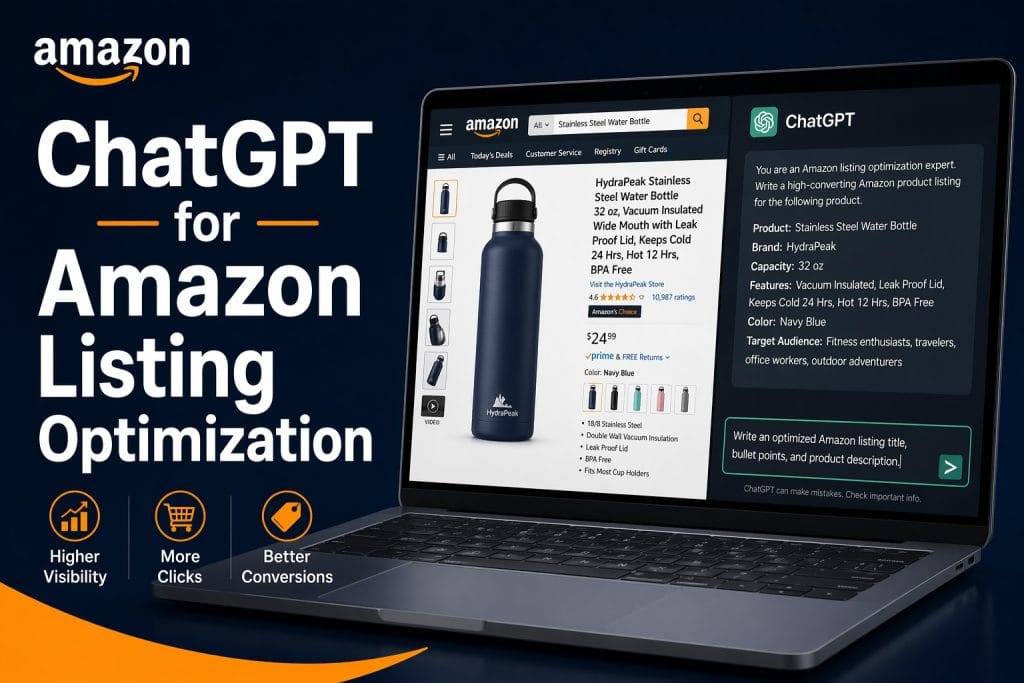
TL;DR: ChatGPT can dramatically speed up Amazon listing creation, but only if you give it the right inputs. In this guide, you’ll get copy-paste prompt templates for writing titles, bullet points, A+ content, and backend keywords, plus tips to avoid the most common AI listing mistakes.
Why ChatGPT Is a Game-Changer for Amazon Sellers
Amazon listing optimization has always required a rare combination of copywriting skill, keyword strategy, and deep product knowledge. In 2026, AI, specifically ChatGPT, is compressing what used to take hours of research and writing into minutes.
According to a 2024 survey by Jungle Scout, 74% of Amazon sellers say they plan to use AI tools to optimize their business operations. And listings are the natural starting point: every seller has them, every seller wants them to convert better, and most listings are far from optimized.
The good news? ChatGPT doesn’t replace your expertise as a seller, it amplifies it. When you feed it the right inputs (your keywords, your product’s key features, your target audience), it becomes the fastest junior copywriter you’ve ever worked with.
This guide is for Amazon sellers and brand managers who want to use ChatGPT practically, not just play with it. You’ll walk away with real prompts you can use today.
What ChatGPT Can (and Can’t) Do for Your Listings
Before diving into prompts, let’s set expectations.
ChatGPT excels at:
- Drafting keyword-rich titles that follow Amazon’s formatting rules
- Writing benefit-focused bullet points in A9-friendly structures
- Generating A+ content copy at scale
- Brainstorming backend keyword lists from seed terms
- Reformatting existing copy to improve readability and keyword density
ChatGPT needs help with:
- Real-time keyword search volume data (you need Helium 10 or Brand Analytics for that)
- Understanding your specific product’s exact differentiators (you must tell it)
- Amazon policy compliance (always review outputs against current Amazon guidelines)
- Conversion rate prediction (AI writes copy; your data tells you what converts)
The key insight: ChatGPT is a drafting engine, not a strategy engine. You provide the strategy (keywords, positioning, audience), and ChatGPT produces the copy at speed.
How to Write Amazon Titles with ChatGPT
Amazon titles are the highest-impact element of your listing. They carry the most keyword weight with the A9 algorithm and are the first thing shoppers see in search results.
The Prompt Template
Act as an expert Amazon copywriter. Write 3 product title variations for the following product:

Product: [product name]
Key features: [feature 1], [feature 2], [feature 3]
Primary keyword: [your #1 keyword]
Secondary keywords: [keyword 2], [keyword 3], [keyword 4]
Target audience: [who buys this]
Character limit: 200 characters (Amazon maximum)
Category: [Amazon category]

Rules:
- Lead with the primary keyword
- Include brand name near the beginning
- Use pipe "|" or comma "," separators between feature callouts
- Avoid promotional language ("best," "amazing," "#1")
- Do NOT use all caps
- Focus on features and use cases, not emotions
Real Example Output (Travel Tumbler)
Title Option 1:
BrandName 20oz Travel Tumbler, Vacuum Insulated Stainless Steel Coffee Mug | Leak-Proof Lid | Keeps Drinks Cold 24 Hours, Hot 12 Hours
Title Option 2:
BrandName Stainless Steel Tumbler 20 oz | Double Wall Vacuum Insulated Travel Mug | Leak-Proof | Hot & Cold Coffee Thermos
Title Option 3:
BrandName 20 Oz Insulated Tumbler to Stainless Steel Travel Coffee Mug, Keeps Drinks Cold 24hr, Leak-Proof Lid, BPA-Free
💡 Pro tip: Always run your final title through Helium 10’s Listing Analyzer or Amazon’s own search preview to confirm keyword indexing before going live.
How to Write Bullet Points with ChatGPT
Amazon allows 5 bullet points per listing (up to 500 characters each). The most effective structure leads with a BENEFIT in all caps, followed by the feature that delivers it, and includes a relevant keyword naturally.
The Prompt Template
Act as an Amazon listing specialist. Write 5 bullet points for the product below.

Product: [product name]
Key features: [list all main features]
Primary keyword: [main keyword]
Secondary keywords: [keyword 2], [keyword 3], [keyword 4], [keyword 5]
Target customer: [describe your buyer]
Main pain points solved: [pain point 1], [pain point 2], [pain point 3]

Format each bullet as:
[BENEFIT IN CAPS] to [Feature explanation + keyword, 2-3 sentences]

Focus on benefits to the buyer, not just specs. Include a keyword in at least 3 of the 5 bullets.
Real Example Output (Posture Corrector)
ELIMINATE BACK PAIN ALL DAY to Our posture corrector for women and men gently realigns your spine during work or exercise. Clinically designed brace reduces muscle fatigue within the first week of daily use.
INVISIBLE UNDER CLOTHING to Ultra-thin, lightweight posture brace fits discreetly under shirts, blouses, or workwear. No bulky straps or visible outlines, wear it confidently anywhere.
ADJUSTABLE FOR EVERY BODY to One-size fits all design with dual adjustment straps fits chest sizes 28″ to 48″. Works for both men and women with chronic upper back, neck, or shoulder tension.
MEDICAL-GRADE COMFORT to Soft neoprene material is breathable and skin-safe for extended wear. Unlike rigid posture supports, our flexible design moves with you, not against you.
RESULTS IN 2 WEEKS OR YOUR MONEY BACK to Thousands of verified buyers report measurable improvement in posture and reduced neck tension after 14 days of consistent use. Backed by a 60-day satisfaction guarantee.
How to Write A+ Content with ChatGPT
A+ Content (Enhanced Brand Content for Brand Registered sellers) is your chance to tell a deeper brand story with images and text modules. ChatGPT can draft the copy blocks efficiently.
The Prompt Template
Act as a brand copywriter specializing in Amazon A+ Content. Write copy for the following A+ content modules:

Product: [product name]
Brand story: [1-2 sentences about your brand's mission or founding story]
Key differentiators vs. competition: [differentiator 1], [differentiator 2], [differentiator 3]
Target audience: [describe buyer persona]
Tone: [professional / friendly / aspirational / scientific]

Write copy for:
1. Hero banner headline (max 75 characters) + subheadline (max 150 characters)
2. Feature module 1: [Feature name] to headline + 2-3 sentences of body copy
3. Feature module 2: [Feature name] to headline + 2-3 sentences
4. Feature module 3: [Feature name] to headline + 2-3 sentences
5. Brand story module to 75-100 words
6. Comparison table: Our product vs. typical competitor, 4 differentiating features
💡 Pro tip: A+ Content does NOT directly affect keyword indexing, but it significantly improves conversion rate. Use ChatGPT here to maximize persuasion, not keyword stuffing.
How to Generate Backend Keywords with ChatGPT
Backend keywords are the hidden keyword fields in Seller Central that help Amazon index your listing for searches that don’t appear in your visible copy. You have 250 bytes to work with.
The Prompt Template
Act as an Amazon SEO specialist. Generate a backend keyword list for the product below.

Product: [product name and description]
Target market: [US / UK / other]
Main use cases: [use case 1], [use case 2], [use case 3]
Keywords already in my title and bullets (do NOT repeat): [paste your title + bullets]
Competitor keywords to capture: [optional]

Rules:
- No duplicate words already in title or bullets
- No competitor brand names (Amazon policy violation)
- Output as a single space-separated string, max 250 bytes
- Include synonyms, misspellings, and alternate phrasings
What ChatGPT gives you: a solid starting draft. What you add: Run your seed keywords through Helium 10 Cerebro or Amazon Brand Analytics to identify high-volume terms ChatGPT missed, then fold those in.
Common Mistakes to Avoid
Sellers using AI for listings often fall into predictable traps:
- Keyword stuffing instead of keyword weaving, ChatGPT will sometimes cram keywords unnaturally. Review every output and ensure keywords flow naturally in sentences.
- Skipping the keyword research step, ChatGPT doesn’t know which keywords have 50,000 monthly searches vs. 50. Always pre-research with Helium 10, Brand Analytics, or Jungle Scout before prompting.
- Using generic prompts, The less specific your prompt, the more generic the output. Include your exact product features, competitor differentiators, and target customer in every prompt.
- Forgetting Amazon policy review, AI-generated copy can accidentally include prohibited claims. Run all copy through Amazon’s listing quality check.
- Publishing the first draft, ChatGPT’s first output is a starting point. Edit for brand voice, accuracy, and conversion before publishing.
Frequently Asked Questions
Can ChatGPT write Amazon listings on its own?
ChatGPT can draft strong listing copy, but it needs your inputs: your keywords, product features, target audience, and brand voice. Without these specifics, the output will be generic. Think of ChatGPT as a fast drafting partner, not a replacement for your strategy.
Does AI-written Amazon copy perform as well as human-written?
When given strong inputs and edited properly, AI-generated listings can match or outperform manually written copy. The key is using real keyword data (from Helium 10, Brand Analytics, etc.) and editing the draft to match your brand voice before publishing.
Will Amazon penalize AI-generated listings?
As of 2026, Amazon does not penalize listings for being AI-generated. They evaluate listings on quality, relevance, and compliance, not on how they were written. Just ensure the copy meets Amazon’s content policies and doesn’t make prohibited claims.
How do I get better results from ChatGPT for Amazon?
Be specific. Include your top 5 to 10 keywords, all key product features, your target buyer’s main pain points, and your desired tone. The more context you give ChatGPT, the better and more targeted the output.
What’s the best ChatGPT model to use for Amazon listing copy?
GPT-4o (the default in ChatGPT Plus) produces the most natural, high-quality listing copy. For batch work across many SKUs, the API with GPT-4o is the most cost-effective approach.
Conclusion
Using ChatGPT for Amazon listing optimization is one of the highest-leverage moves a seller can make in 2026. With the right prompts, you can cut listing creation time from hours to minutes, while producing keyword-rich, conversion-focused copy that competes at the highest level.
The formula is simple: keyword research first → structured prompt → ChatGPT draft → human edit → publish.
If you want expert help taking your listings from good to great, with AI-assisted copywriting, full keyword strategy, and conversion optimization, Enso Brands’ listing optimization service handles it end-to-end. Our team combines proven AI workflows with deep Amazon expertise to build listings that rank and convert.






