
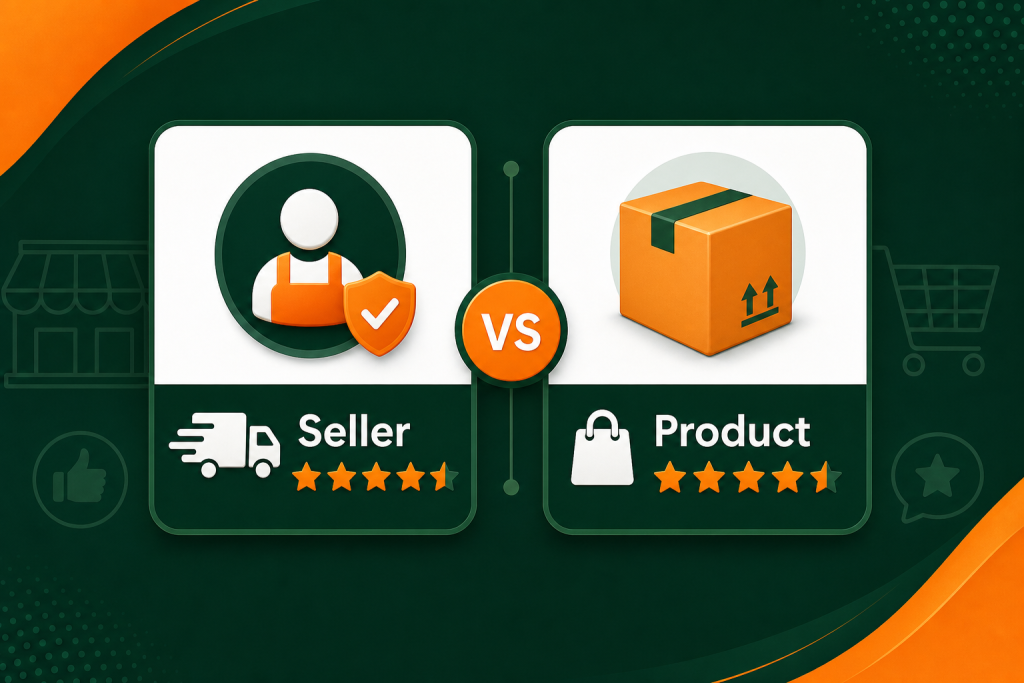
Spend enough time in Amazon Seller Central and you will eventually mix these two up. A customer leaves you one star and suddenly you are not sure whether to worry about your account health or your listing conversion rate. Or maybe you received a glowing “five stars, fast shipping” comment, but your product rating barely moved.
That confusion has real consequences. Sellers who treat amazon seller feedback and product reviews as interchangeable often ignore the right signal at the wrong time, miss critical account health warnings, or waste energy responding to something that will not move the needle.
This guide lays out exactly what each one is, where it shows up, how it affects your business, and what to do with both.
What Is Amazon Seller Feedback?
Amazon seller feedback is a rating customers give to you as the seller, not to your product. After a purchase, Amazon may invite the buyer to rate their overall experience with your store. They can leave a star rating from 1 to 5, along with an optional written comment.
Where Seller Feedback Appears
Seller feedback shows up in a few places:
- Your seller profile page, which any buyer can visit by clicking your seller name on a listing
- The Buy Box competition, where Amazon factors your feedback score into eligibility decisions
- Seller Central, under Performance > Feedback, where you can monitor and manage your ratings
Customers do not see seller feedback prominently on your product detail page. It lives one click away, on your seller storefront, visible to buyers who specifically click your seller name. Most shoppers never go there. Amazon, however, watches it closely.
How Seller Feedback Affects Your Business
Your feedback rating is one of the primary signals Amazon uses to measure your reliability as a seller.
Account health. Amazon monitors your seller metrics against minimum thresholds. A sustained pattern of poor feedback, particularly anything tied to late shipments, wrong items, or unresolved customer complaints, can trigger an account review or, in serious cases, a suspension.
Buy Box eligibility. The Amazon Buy Box is where the overwhelming majority of purchases happen. Amazon weighs your seller feedback score when deciding who wins it. Sellers with low feedback ratings or recent negative feedback are at a disadvantage, even if their price is competitive.
Fulfillment method matters here. FBA sellers are generally shielded from shipping-related feedback because Amazon handles delivery. When a customer complains about late delivery and you use FBA, that feedback can often be removed. FBM sellers carry full responsibility for shipping performance and are more exposed to feedback risk.
Seller Feedback Timeline
Customers have 90 days from the order date to leave seller feedback. Feedback can also be removed, either by the customer themselves or by Amazon if it contains a product review, obscene language, or personally identifiable information.
Your feedback score is typically calculated as the percentage of positive ratings (4 and 5 stars) over the trailing 30, 90, and 365 days, plus your lifetime total. Amazon generally flags anything below 90% as a performance concern worth addressing.
What Are Amazon Product Reviews?
Product reviews are ratings customers leave specifically about the product, not about the seller or the shipping experience. They appear directly on the product detail page and are one of the most powerful factors in whether a shopper decides to buy.
Where Product Reviews Appear
Product reviews are highly visible throughout the shopping experience:
- Directly on the product detail page, beneath the listing content and images
- In the star rating shown in search results, which affects click-through rate before a shopper even sees your listing
- In the AI-generated “Customers say” summary that Amazon now shows at the top of the review section
- In Amazon search filters, where buyers can filter results by minimum star rating
Unlike seller feedback, product reviews are front and center in the buying experience. Every shopper sees them.
How Product Reviews Affect Your Business
Reviews are one of the most direct levers on conversion rate. Research by Spiegel Research Center found that products with at least five reviews have a 270% higher purchase likelihood than products with none. The star rating visible in search results also affects how many people click your listing before they ever read a word of your copy.
Organic ranking. Amazon’s A9 algorithm treats review count and average rating as ranking signals. A listing with hundreds of positive reviews tends to outrank a newer listing with fewer, even if the newer product is objectively better made.
Social proof and conversion. Buyers use reviews to evaluate quality, gauge fit for their use case, and spot potential problems before committing. A strong review profile can compensate for a slightly higher price. A weak one can sink an otherwise solid listing.
Listing improvement signals. Review themes that appear repeatedly, both positive and negative, tell you exactly what customers value and where your product falls short. This insight should directly inform your A+ Content and listing copy updates.
Who Controls Product Reviews
Amazon owns the review system entirely. Sellers cannot edit, delete, or suppress product reviews. You can leave a comment response (visible to all future shoppers) and you can report reviews that violate Amazon’s policies, such as competitor manipulation or fake reviews, but removal decisions rest with Amazon.
Key Differences: Seller Feedback vs Product Reviews
Here is a side-by-side comparison to make the distinction easy to reference:
| Seller Feedback | Product Reviews | |
|---|---|---|
| What it rates | Your performance as a seller | The product itself |
| Where it appears | Seller profile page, Seller Central | Product detail page, search results |
| Visible to shoppers | Only if they click your seller name | Prominently on every listing |
| Affects | Account health, Buy Box eligibility | Conversion rate, search ranking |
| Submission window | 90 days from order date | No fixed deadline |
| Can you respond? | Public reply via Seller Central | Comment visible to all shoppers |
| Can it be removed? | Yes, under specific conditions | Only for policy violations |
| FBA seller protection | Shipping feedback often removable | No FBA protection |
How to Get More of Each
Getting More Seller Feedback
The most reliable way to accumulate positive seller feedback is to deliver a flawless buying experience. Operationally, that means a few specific things:
- Ship on time, every time. Late shipment is the most common driver of negative seller feedback for FBM sellers. Nail your fulfillment first.
- Communicate proactively. If there is a delay or an issue with an order, reach out before the customer does. Most buyers are reasonable when kept informed.
- Use the Request a Review button. Seller Central lets you send an Amazon-standardized review request to recent buyers. This also prompts customers to rate their seller experience.
- Keep your order defect rate low. Amazon tracks ODR, which includes A-to-Z claims, chargebacks, and negative feedback. Staying below 1% is the minimum threshold to maintain good standing.
Using FBA removes a lot of shipping-related feedback risk because Amazon’s customer service team handles delivery issues on your behalf.
Getting More Product Reviews
Building a product review profile is a separate and longer-term effort. Amazon’s rules around solicitation are strict: you cannot incentivize reviews, ask specifically for positive-only reviews, or use services that violate Amazon’s policies.
What you can do:
- Use the Request a Review button (or automate it through approved tools). This sends Amazon’s own standardized request to recent verified buyers, asking for both a seller feedback rating and a product review.
- Enroll in Amazon Vine if you have Brand Registry. The Amazon Vine program places your product with vetted reviewers in exchange for honest feedback. It is one of the fastest legitimate paths to initial review volume on a new listing.
- Fix the product before you scale the asks. If you are averaging 3.2 stars, no review solicitation strategy will fix a genuine product problem. Read the one and two-star reviews carefully. They are telling you exactly what to improve.
- Optimize your listing for accurate expectations. Mismatched expectations are a leading driver of negative reviews. Clear, honest listings attract buyers who are the right fit. For the full strategy, see our guide on getting more Amazon product reviews.
What to Do When You Get Negative Feedback or Reviews
Responding to Negative Seller Feedback
Before doing anything else, check whether the comment is actually about the product rather than the seller experience. “Product broke after two weeks” is a product review left in the wrong place. Amazon policy states that seller feedback must relate to the seller experience, so you can flag this type of content through Seller Central and Amazon will often remove it.
For legitimate negative seller feedback:
- Identify the root cause. Was it a fulfillment issue, a product defect, a communication gap? Understand what actually happened before responding.
- Contact the buyer through Seller Central’s messaging system. You cannot offer any incentive to change or remove feedback, but genuinely resolving the issue often leads buyers to update their rating voluntarily.
- Leave a professional public response. Amazon allows sellers to post a public reply to feedback. Keep it factual, non-defensive, and solution-focused. Future buyers will see it.
- Fix the underlying process. Repeated feedback about the same issue is a process problem, not a customer problem.
Responding to Negative Product Reviews
You cannot remove a negative product review unless it violates Amazon’s policies. What you can do is respond thoughtfully and use the feedback to improve.
- Leave a comment response. This is visible to every future shopper who reads the review. Acknowledge the issue, provide any relevant context, and describe what you have done to address it. A professional response demonstrates that you stand behind your product.
- Report policy violations. If a review contains a competitor’s product mention, appears to be from a non-buyer, or contains false factual claims, report it to Amazon for review.
- Use the feedback to improve the product. If multiple reviewers flag the same defect, that is a product development roadmap. Fix it, then update your listing to reflect the improvement.
- Monitor consistently. Set up alerts so you know about new negative reviews quickly. A fast, professional response window limits the damage and shows other buyers you are attentive.
If your product’s overall rating has dropped significantly and you have made substantial product improvements, some sellers explore variation strategies or listing restructuring to start fresh with a better version. This decision involves real tradeoffs and is worth discussing with an experienced Amazon account management team before acting.
Frequently Asked Questions
What is the difference between seller feedback and product reviews on Amazon?
Seller feedback rates your performance as a seller, including shipping speed, packaging, and customer service. Product reviews rate the product itself, covering quality, functionality, and value. Seller feedback appears on your store profile and affects account health and Buy Box eligibility, while product reviews appear on your product detail page and directly influence conversion rates and search ranking.
Does Amazon seller feedback affect my Buy Box eligibility?
Yes. Amazon includes your seller feedback score as one of the inputs when awarding the Buy Box. Sellers with higher feedback ratings and lower defect rates are generally favored, even when pricing is close. Maintaining a positive feedback rate above 95% puts you in the strongest position for Buy Box competition across your catalog.
Can negative seller feedback be removed?
Yes, under specific conditions. Amazon will remove seller feedback that contains a product review, obscene language, or personally identifiable information. FBA sellers can also request removal of feedback related to shipping or fulfillment issues, since Amazon handles those operations. Feedback cannot be removed simply because you disagree with it or find it unfair.
How do I request Amazon product reviews without violating the rules?
The safest method is the Request a Review button in Seller Central, or its automated equivalent through Amazon-approved third-party tools. This sends Amazon’s standardized email asking buyers for both a seller rating and a product review. You cannot add custom messaging, offer any incentive, or ask specifically for positive reviews. Any approach that goes beyond Amazon’s approved request templates puts your account at risk.
Can seller feedback show up on my product listing?
No. Seller feedback does not appear on your product detail page. It lives on your seller profile, accessible to buyers who click your seller name. Most buyers never visit this page. However, your seller rating is visible in the seller information section on multi-seller listings, and it is factored into Buy Box decisions behind the scenes on every one of your listings.
Want Expert Help Managing Your Amazon Presence?
Managing amazon seller feedback and product reviews is one part of running a competitive Amazon business. When both are healthy, your account stays in good standing and your listings convert. When either slips, the downstream effects show up fast.
At Enso Brands, we work with sellers at every stage to protect account health, build review profiles the right way, and grow sales sustainably. If you want a team that handles the complexity of Amazon selling while you focus on your products and brand, learn more about our full-service Amazon agency.






